Five days free, no card asked · sign in with a code from an email · works offline
Sleep window: a range and “why”Undo any entry with one tap
What a day looks like
When you hold nothing in your head
Morning
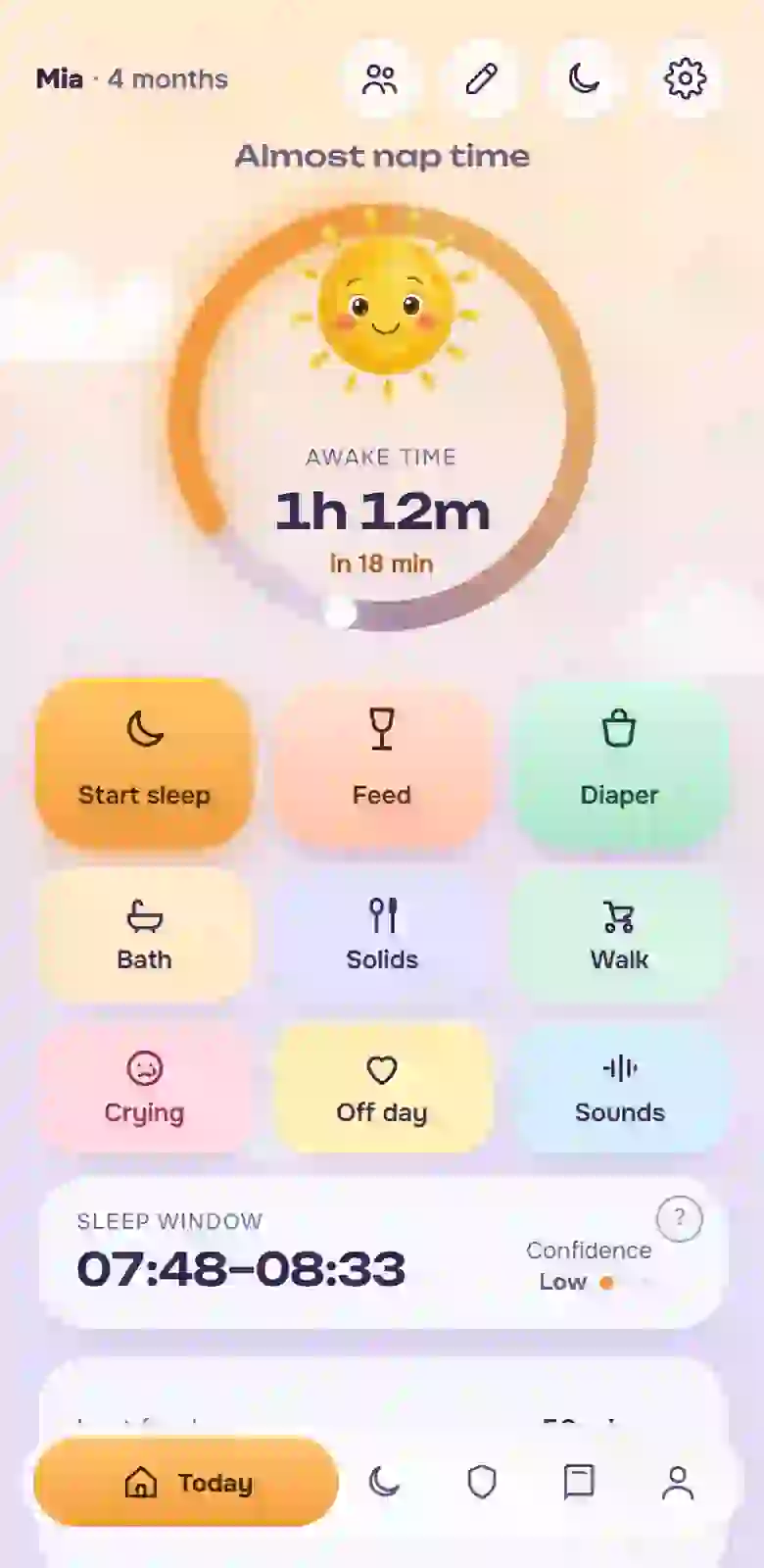
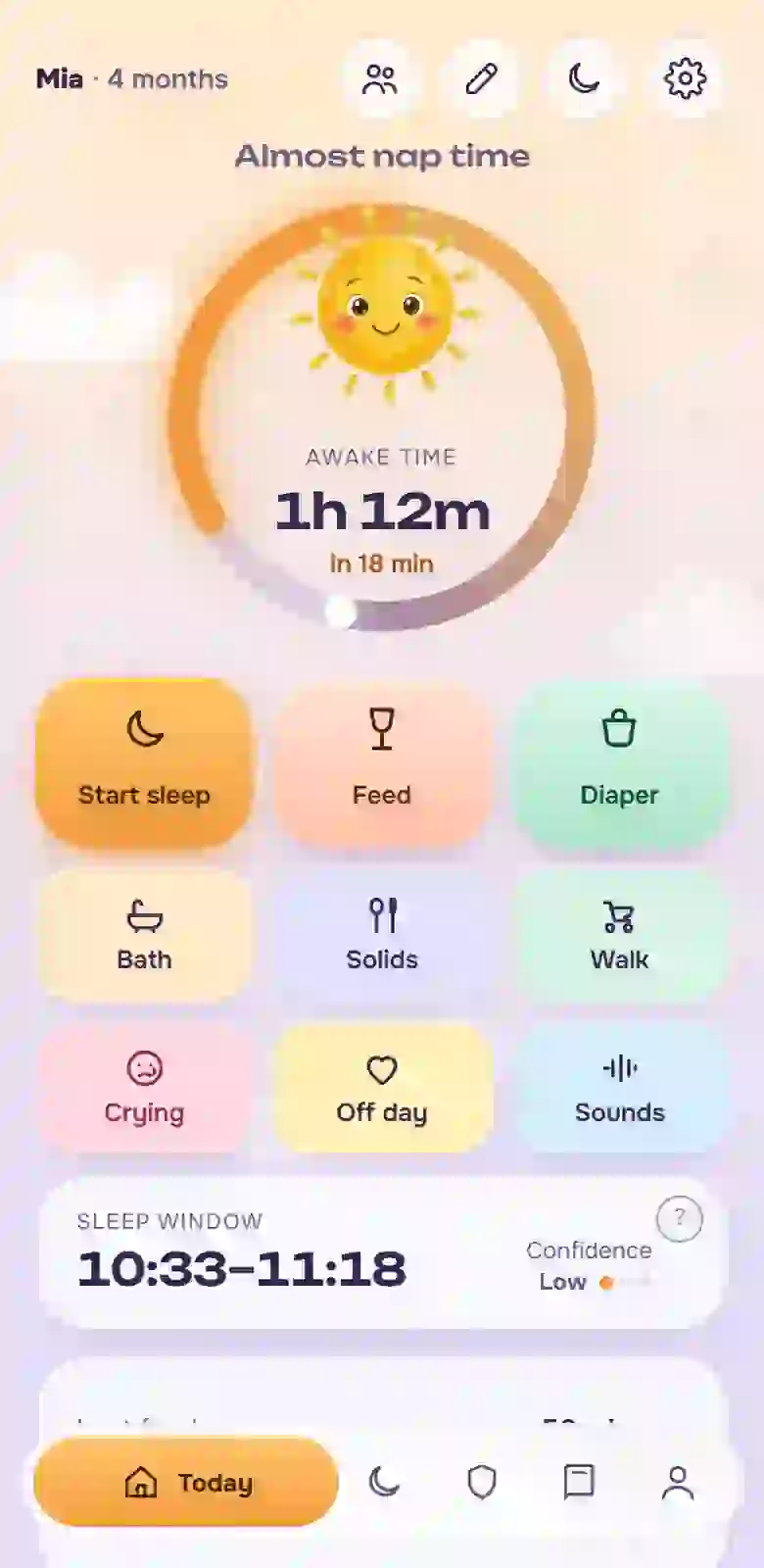
You pick up the phone and look at one screen: when the baby ate, how long they have been awake, when to expect sleep, as a range. You do not remember, you look.
Appointment
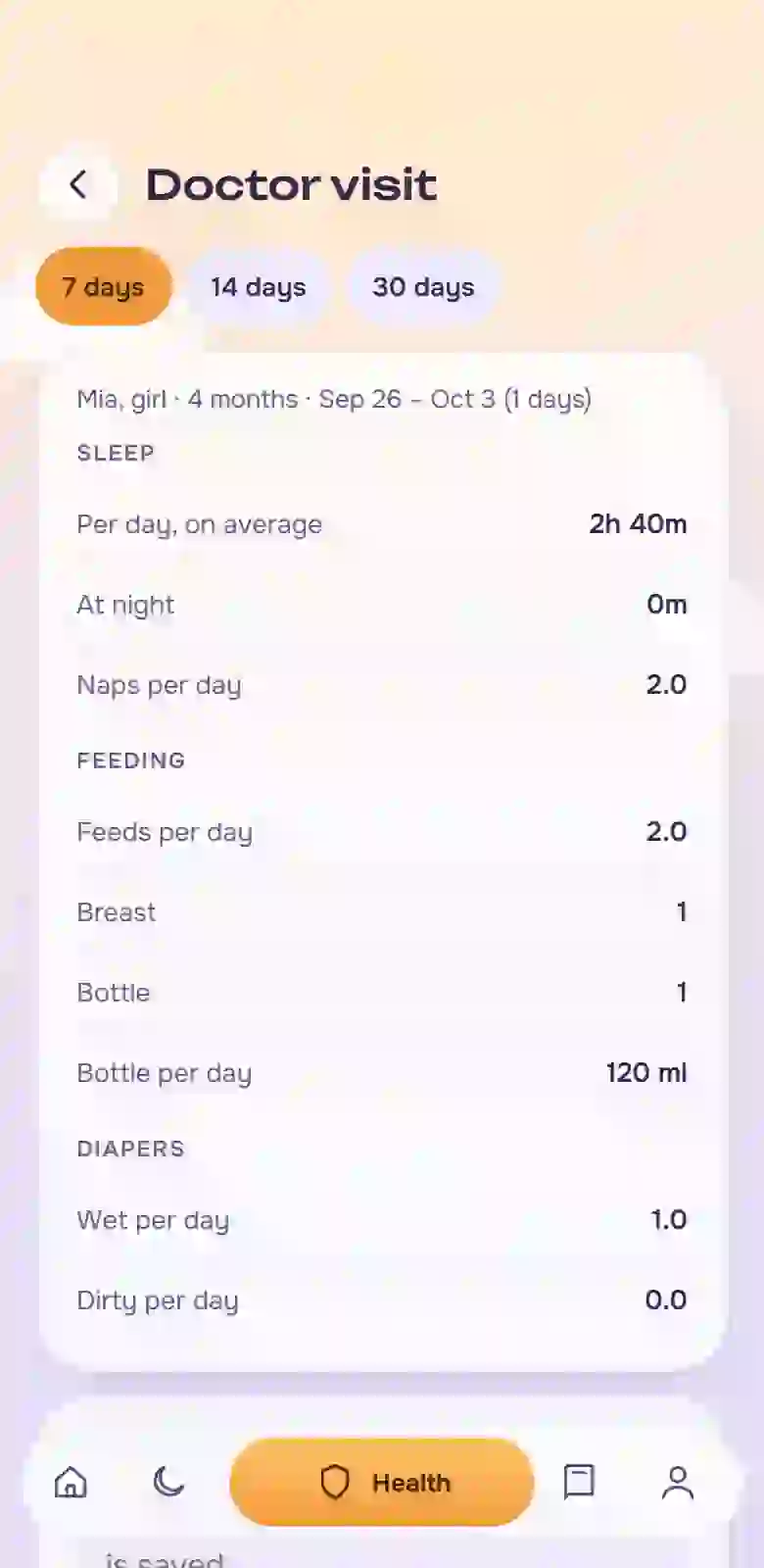
The doctor asks about sleep and stools. You open “Doctor visit”, show the week on one sheet and speak specifically. The list of questions is right there.
Hand-over
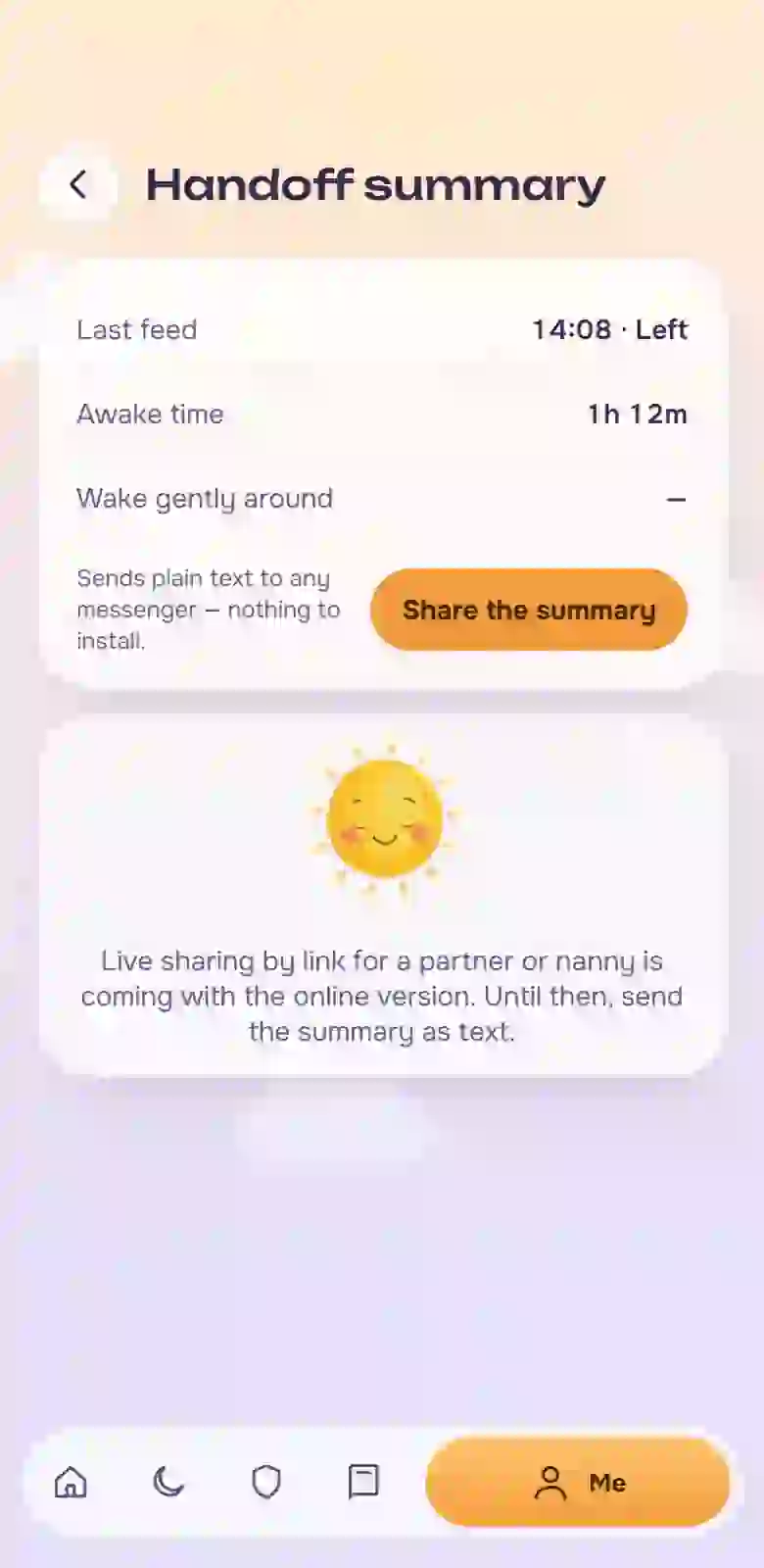
You go out for two hours. Your mother gets one message: when the baby ate, how long awake, when to wake gently. There is nothing to call about.
A first time
In the evening you mark the first coo with a photo, and it lands in the book next to the date. The rest was logged through the day with one touch.
Night
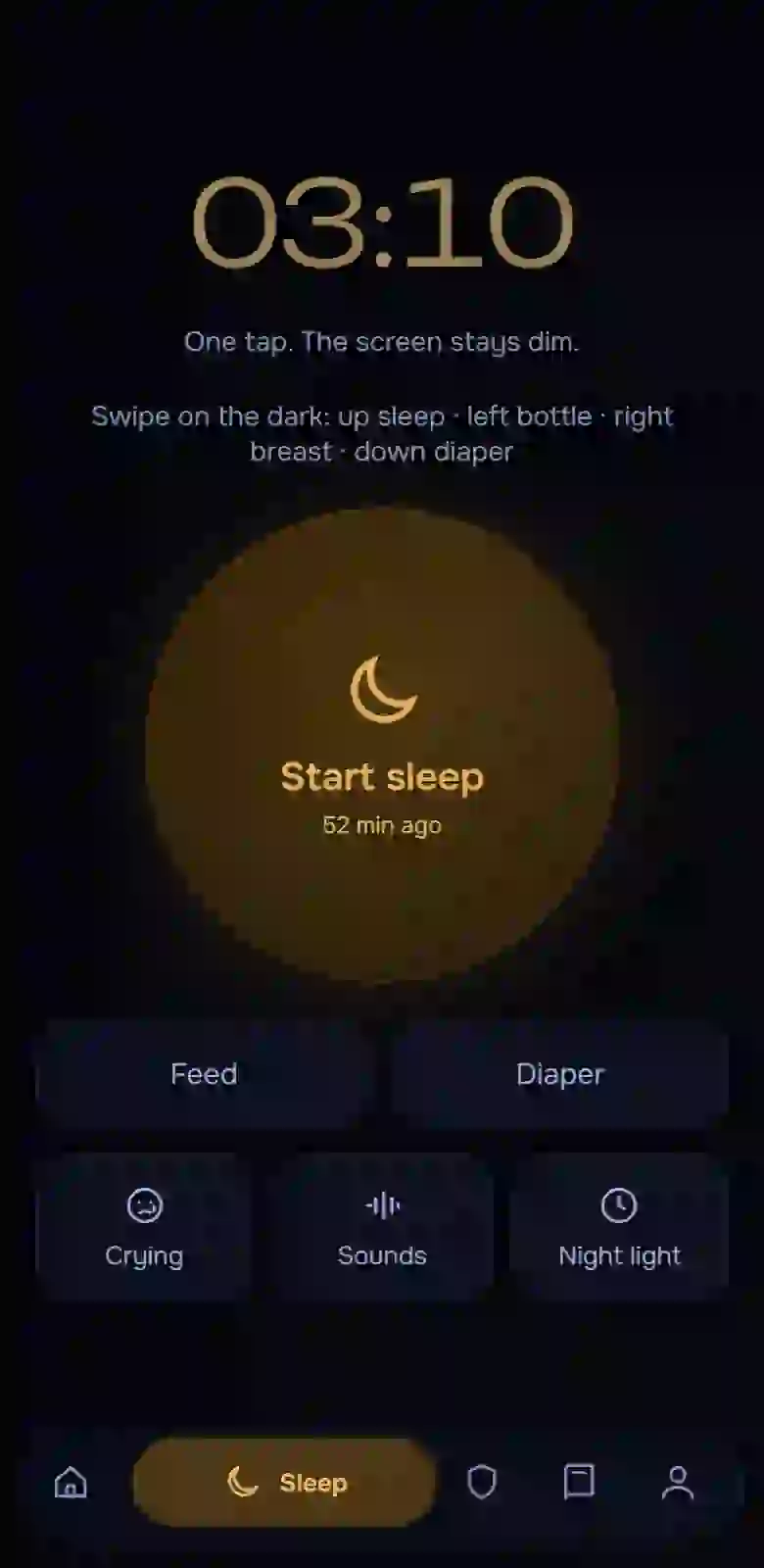
At night you swipe on the dark screen without turning on a light and go back to sleep. In the morning the entry is already there.
At a glance
12modules in one app
4languages: English, Russian, Portuguese, Spanish
4babies with separate records
0ads and third-party trackers
5days free, no card asked
This page is for you if
you have a baby under three, and at least once you could not remember when they last ate;
you have tried keeping records in a notebook, notes, a spreadsheet or another app, and gave up;
at the doctor you say “well, seems fine” although you knew everything at home;
your partner, grandmother or sitter stays with the baby, and you write them a long message and they still call;
you want to understand what is going on with the routine, but you do not want red numbers and comparisons with other babies.
Sound familiar?
Ten scenes you have probably been in
You stand by the crib at two in the morning trying to remember whether you fed the baby at midnight or at one, and you do not want to wake your partner to ask.
You log sleep in an app, but by the time you tap the fifth button on a bright screen, the baby is wide awake.
You have three “wake window” tables bookmarked, the baby will not sleep by any of them, and you cannot tell who is wrong: you, the table or the baby.
At the appointment the doctor asks about sleep and stools, and you, who knew everything at home, sit there searching for words.
You are about to go out for two hours, and instead of resting you write your mother a list of what happened when, and she calls anyway.
Fever, syrup, night. When was the last dose? You look at the spoon and count in your head.
The routine worked and suddenly fell apart. Teeth, a leap, or did you do something wrong? You rebuild the whole day around a guess.
You open an app to see how things are going and see a red “below normal”. You close it and worry for half the evening.
A year later you try to remember when the baby first laughed and find a video with no date among a thousand others.
You need a vaccination certificate for daycare and you search folders, photos and chats for it.
If you recognised at least three scenes, take comfort: this happens to everyone who keeps a living person’s schedule in their head and sleeps in scraps. Any head gets confused by that, yours too.
How Estrelu is different
Everything is built around what you need
Many baby apps are about pretty statistics and numbers. Here every detail is made for a scene from the list above.
Usually
In Estrelu
Five taps on a bright screen at night
One swipe on a dark screen, and the entry can be undone
Sleep window: a number with no explanation
A range with a confidence level and an explanation of why the time is what it is
Illness and teething break the forecast
A “special day” mark: the forecast stops learning from those days and shows a wider range
“Well, seems fine” at the appointment
A 7, 14 or 30-day summary and a list of questions: show, print, send
A wall of text in a messenger for the second adult
One hand-over summary through “Share”, nothing to install
Only sleep, the rest elsewhere
From birth to three years in one place: sleep, food, solids, health, growth, memories
Red “below normal” and comparisons
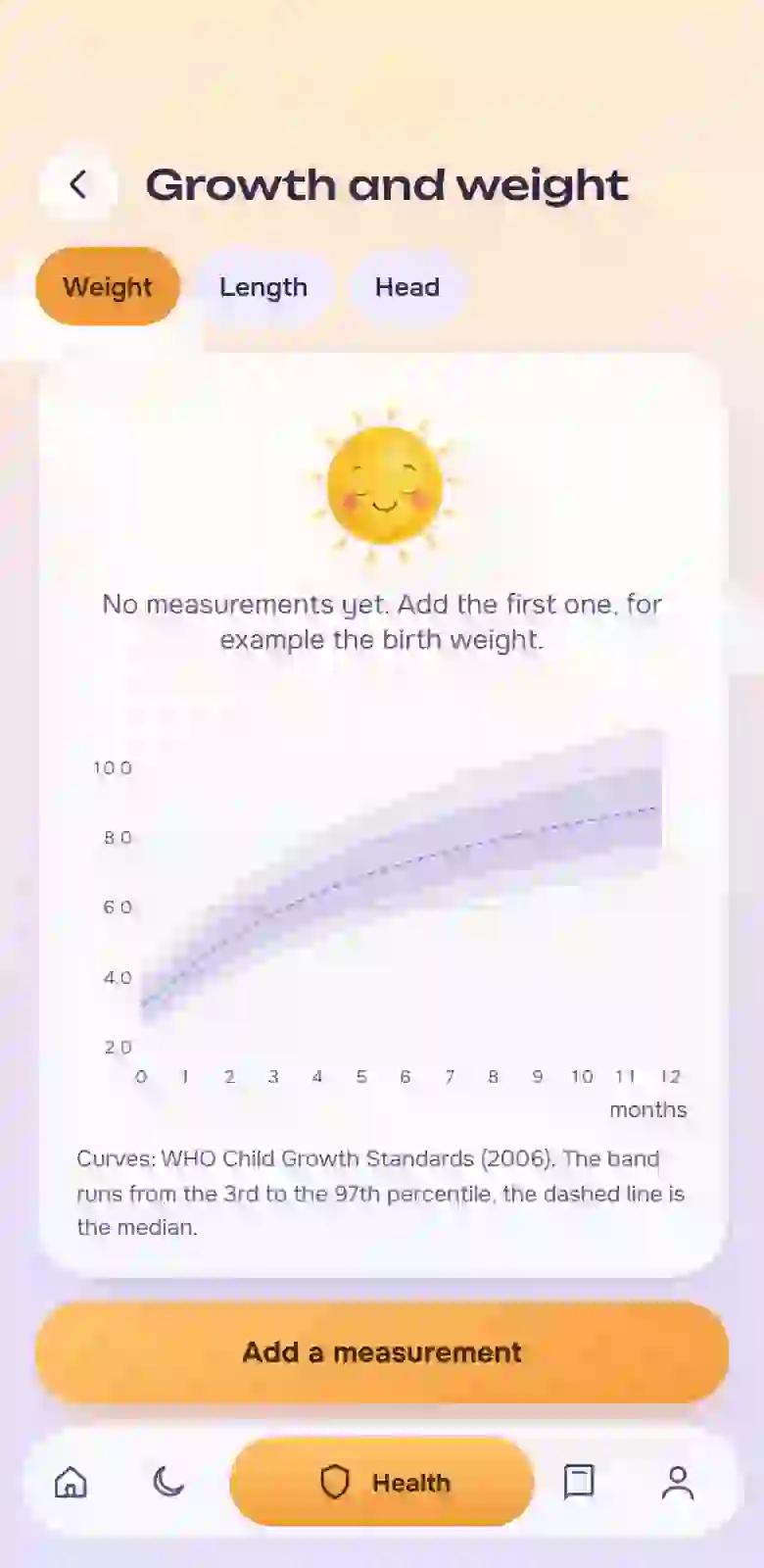
Calm ranges and WHO curves, no red and no scoring
Ads and data who knows where
Sign in with an email code, no password, no ads; entries are saved offline and can be exported to a file
One language
English, Russian, Portuguese, Spanish
Growth curves are built on the official tables of the World Health Organization (2006 standards), and the source is shown in the app itself. Fonts, icons and sounds ship inside the app, and there are no third-party trackers.
Notebook and Estrelu
The same week: drag the slider
On the left is what a notebook holds after three nights. On the right is what the app puts together.
Notebook
14:20 fed? left?
slept ~3 h (or 2?)
03:10 → 03:40 diaper
temp. 37.4 — when was it?
doctor: ask about sleep
and the whole week?..
Notebook: the numbers are lost and do not add up
Estrelu: the week on one screen
Drag
Notebook: the numbers are lost and do not add up
Estrelu: the week on one screen
What is inside and what changes
Five things it does, and how they change your day
Logging in a second
big buttons for sleep, feeds, diapers and temperature; a dark screen and a swipe at night
Why it helpsyou log with one hand and no light, and any entry can be undone
What changesinstead of “I will log it later” you log at the moment it happens
Sleep window and special days
a forecast of the next sleep as a range, an explanation of what it is built from, and a “special day” mark for teeth, illness or a leap
Why it helpsyou see a guide and the reason, not an order; unusual days do not spoil the forecast
What changesinstead of guessing “now or too early” you get a range and decide yourself
Doctor and hand-over
a weekly summary, “Doctor visit” and “Hand-over” for grandma and the sitter; Show, Print and Share buttons
Why it helpsat the appointment you show numbers, and the sitter gets one message instead of phone calls
What changesinstead of “well, seems fine” the whole week is on one screen
Health under watch
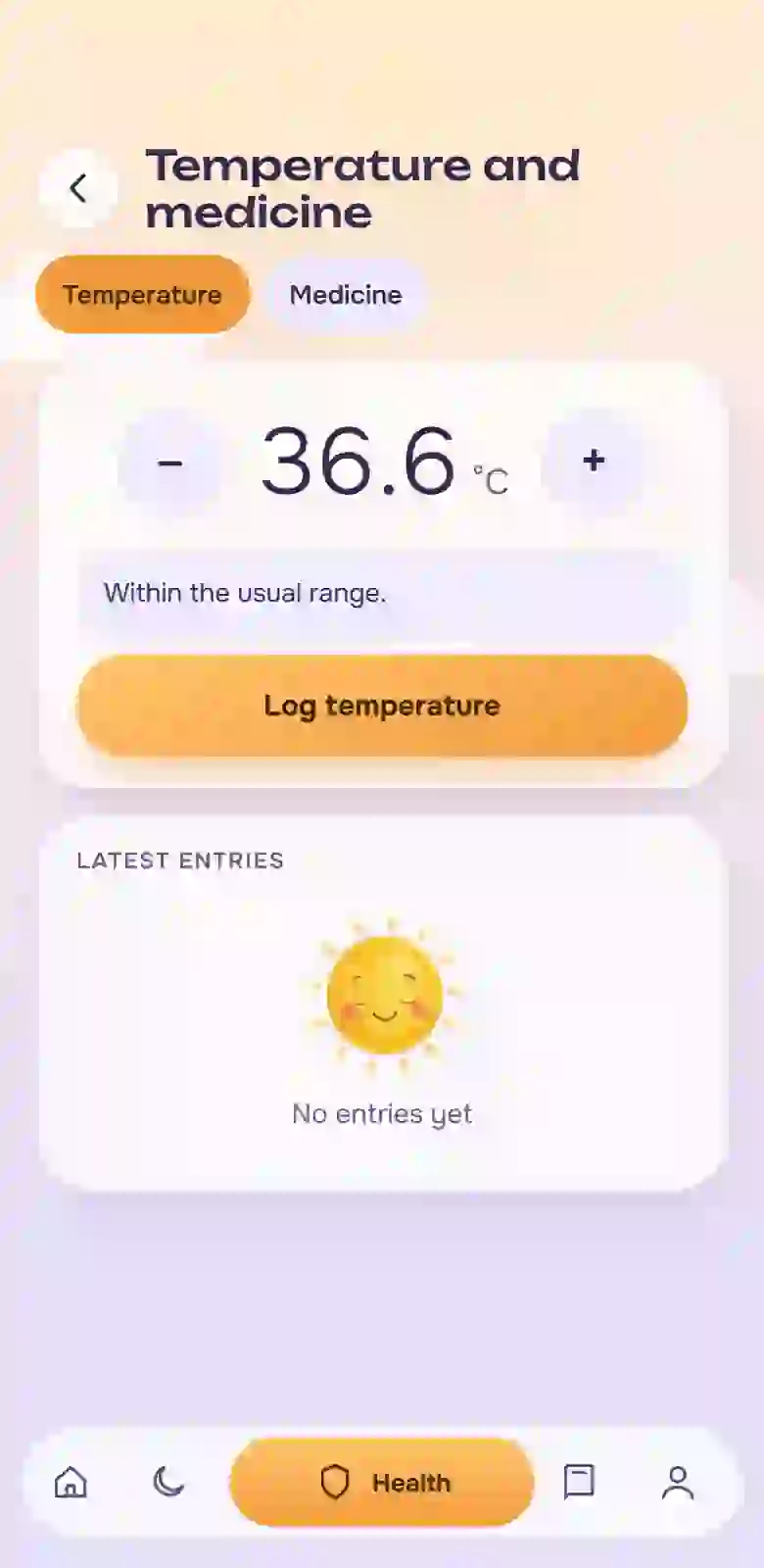
temperature, medicine with a “not before” timer, a confirmation when there is a risk of a double dose, symptoms with photos, growth curves from WHO tables
Why it helpsthe next dose time and the dates are visible at once, and everything can be shown to the doctor
What changesinstead of “when did we give it?” the time is on the screen
The baby’s memory
first times with a photo, solid foods with reactions, a page for every month, a book you can leaf through
Why it helpsdates and photos pile up on their own while you live your life
What changesinstead of “I wish I had written it down” you have a book
Why it matters: you do not force yourself to remember, you move memory onto a screen that is always at hand. Two things remain that take no energy: touch and look.
Open EstreluTry the exampleFive days free, no card asked · sign in with a code from an email · works offline
A week with Estrelu
A week in under a minute
One phone, seven days: from a no-light entry at night to a book of first times. This is the real app, not a drawing.
Mon, 03:10swiped in the dark, sleep logged
Tue, 07:30the sleep window and why
Weda feed in one second
Thutemperature and “not before” medicine
Frithe week shown to the doctor
Satthe sitter got one summary
Sunfirst times went into the book
Check yourself in a minute
How much of this could you say right now without looking?
Tap “Yes” if you can answer right now, without remembering or scrolling.
I can name the time of the last feed
I know how much the baby slept in the last 24 hours
I remember when the last dose of medicine was, or when the temperature was last taken
I know the dates of the next doctor visits
I remember which food I introduced three days ago and how the baby reacted
I can say what helped last evening when the baby was crying
0of 6
Zero, one or two
That is normal, nobody keeps these things in their head. This is where parents’ memory gives out, and it is not your fault. Next you can see how it looks on a screen.
Three or four
You are holding a lot, and it eats your energy. The rest can be moved onto the screen.
Five or six
You are coping and already have a system. You will like the summaries for the doctor and for hand-over, and a calm tone with no red.
What goes to waste
How many entries do you lose in a week
Move the sliders to match your week. This is a rough estimate: it shows the order of magnitude, not exact statistics.
42entries a week never reach the diary
In a week you have 168 events, and about 42 of them stay only in your memory.
Over a month that is around 180. To a doctor and to a sleep forecast, such a diary is like a calendar with torn-out days.
In Estrelu an entry takes a second and is undone with one tap, so there is less reason to put it off.
Features
Twelve modules, each answering its own scene
Log in a second without fully waking up
On the dark screen swipe up for sleep, left for bottle, right for breast, down for diaper. The phone buzzes briefly and the entry can be undone. By day there are three big buttons (sleep, feed, diaper) and six more beside them: bath, solids, walk, crying, special day, sounds. Any entry can be corrected after the fact or added as a phrase, for example “fed left at 14:20”.
The result: an entry in a second that you do not have to remember
The next sleep window is shown as a range with a confidence level, and a tap explains what it is built from. In the Plan you can test what happens if you shift a nap. It is a hint, not an order: you decide.
The result: a time to aim for, and you know where it came from
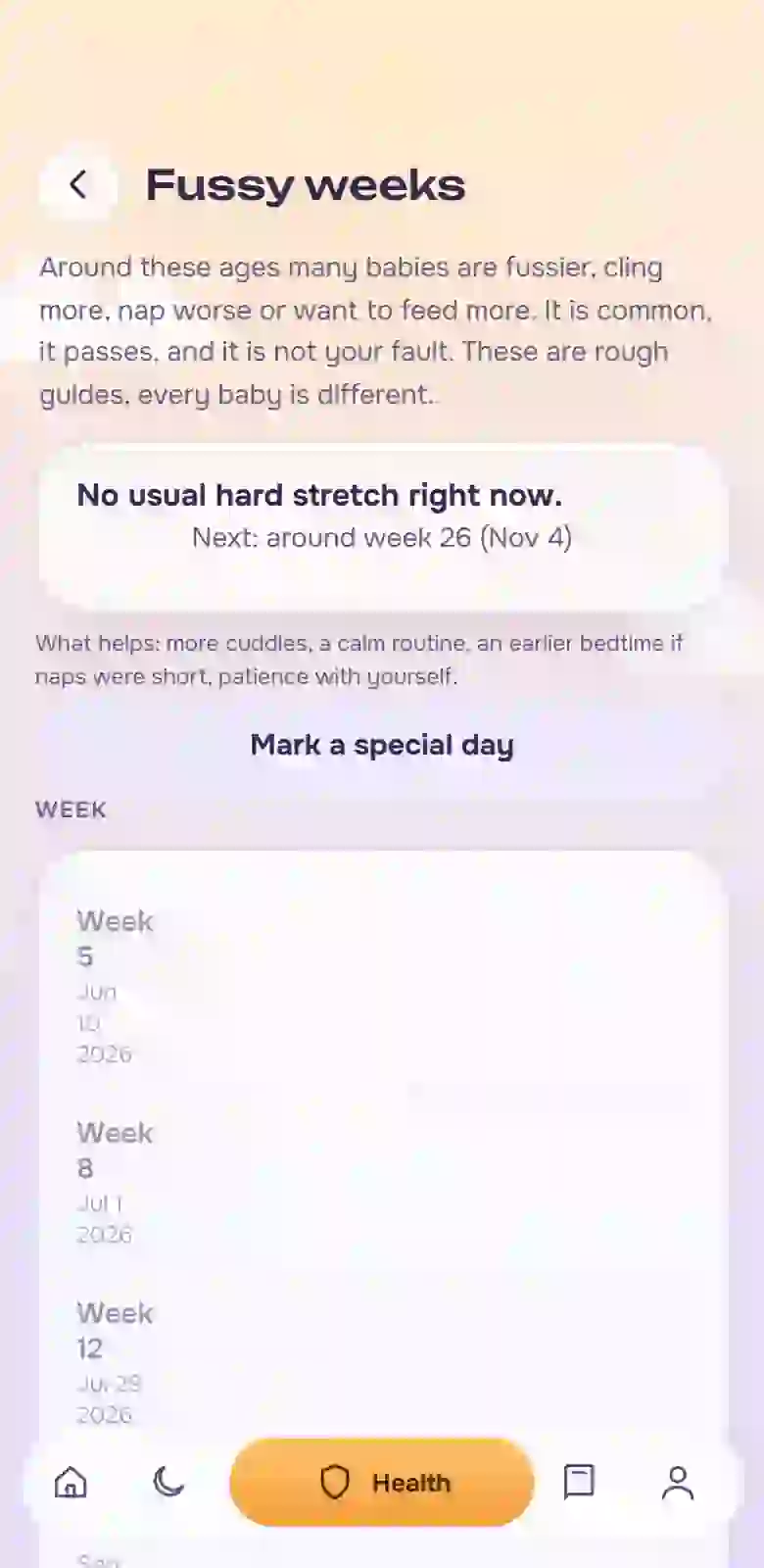
A “special day” mark (illness, teething, a leap, a vaccination): the forecast does not learn from those days and shows a wider range. “Fussy weeks” hints at when to expect a leap. For a trip or a clock change there is a step-by-step plan to shift sleep, and the helper for moving to fewer naps works from your entries.
The result: the routine does not break over one bad week
“Hand-over” puts the last feed, how long the baby has been awake, when to wake gently and the sleep window into one message that goes out through “Share” to any messenger. Nothing to install for you or for your mother. If you have several children (up to four), each has their own entries and shared events can be copied to all.
“Doctor visit” collects entries for 7, 14 or 30 days and a list of questions: show on screen, print or send as text. “Doctor appointments” remind you a day, 2 hours and 30 minutes ahead through your phone calendar. You mark vaccinations yourself, with a photo of the certificate. The “Baby card” with allergies and phone numbers is always at hand.
The result: the doctor sees a week, and the vaccination record is in one place
Dose times are recorded, a “next dose not before” timer shows when it is possible again, and if there is a risk of a double dose the app asks you to confirm. “Symptoms with photos” keeps a picture and dates so you can show the doctor how it was.
The result: you see the time instead of guessing it
Evening crying and falling asleep without starting over
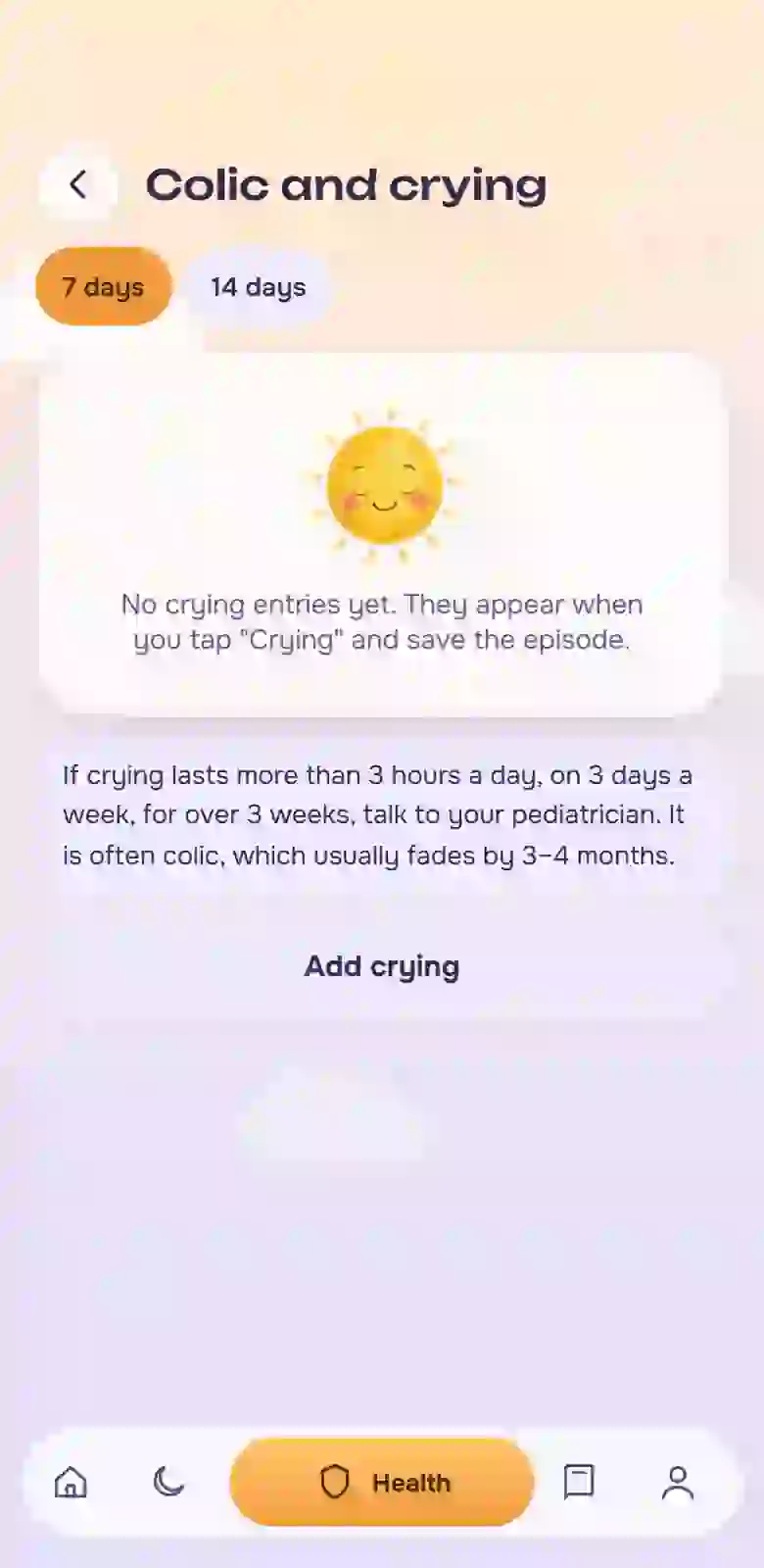
The “Crying” button runs a timer and suggests in order what to try, and “Colic” shows what helped before. “Routine” is your order of steps before sleep, and “Sounds” gives seven kinds of noise with a timer and without internet.
The result: an evening that does not begin from a blank page
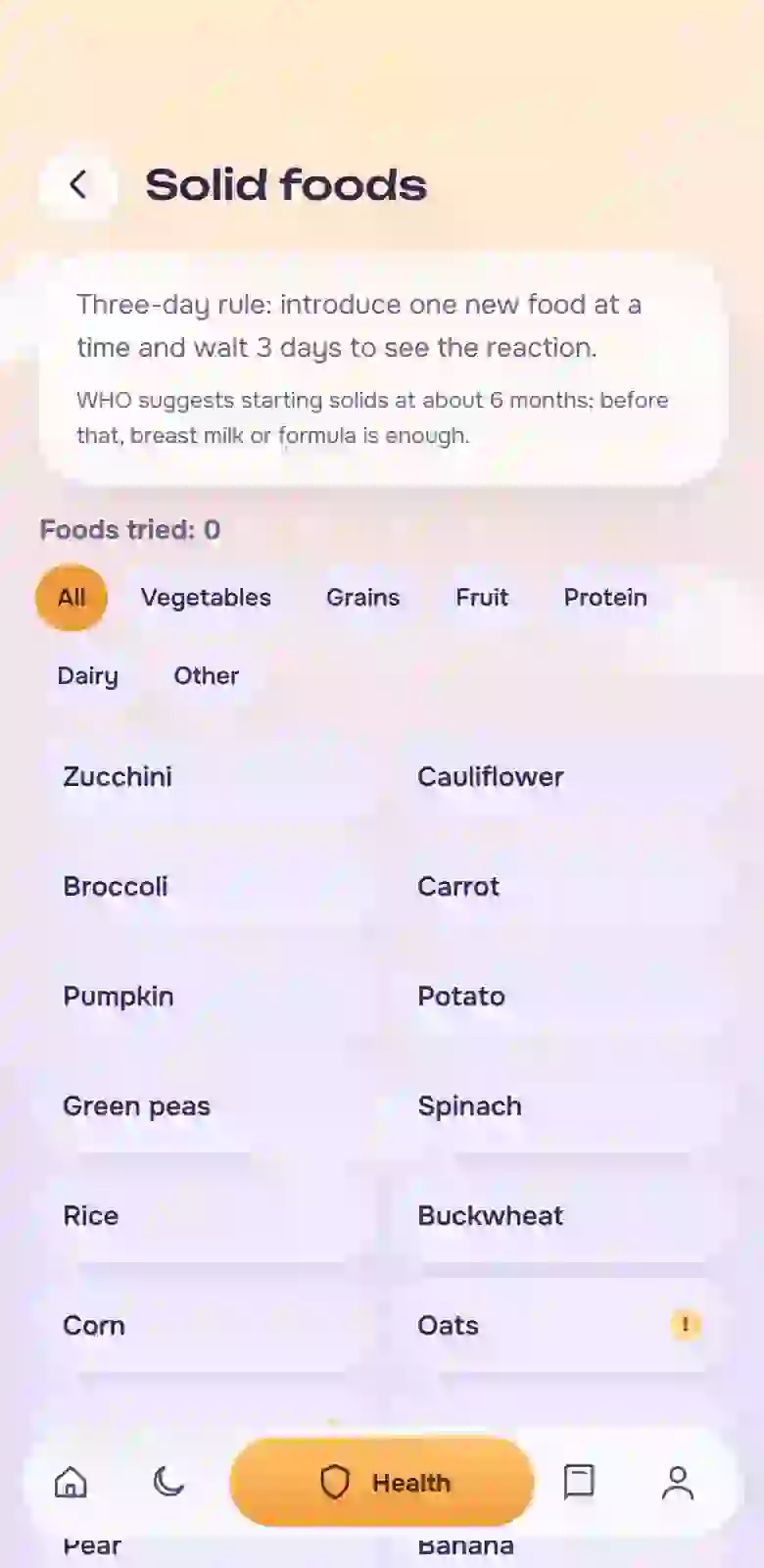
“Solids” follows the three-day rule (one new food, then three days of watching), marks allergens and records reactions, so the link between a food and a rash is visible, not guessed.
The result: a list that shows what you introduced and when
“Height and weight” draws curves from the WHO tables: a reference band (3rd to 97th percentile) and a dashed median, with no “good” or “bad” and no red. If growth looks unusual, that is a question for the doctor, and you arrive with a curve, not a feeling.
“First times” keeps a photo and a date, and they build the A5 “Baby book” with a page for every month, while the “Card of the week” is good for sharing with grandma. Entries from another app can be imported from a spreadsheet, and importing again creates no duplicates.
The result: a book you can leaf through, and a history that did not vanish
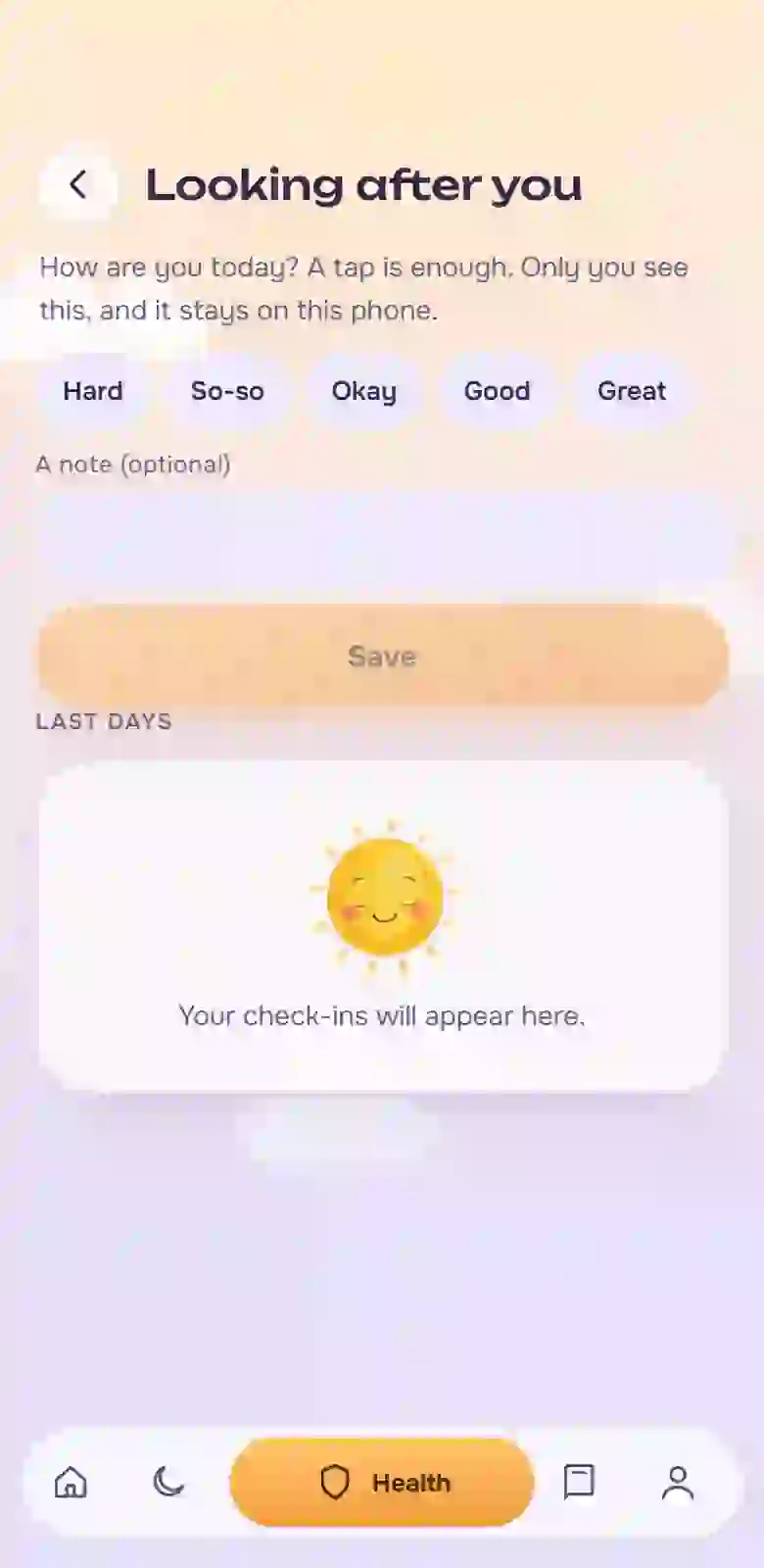
“Mom care” keeps mood marks: one touch, a rating from 1 to 5. If three days in a row turn out hard, the app gently suggests asking for help, with no diagnoses and no reproach. “Pumping” records the volume and side.
The result: someone remembers about you too, and you can see it on screen
You sign in with a code from an email, no password. Estrelu works offline, shows no ads and connects no third-party trackers. Entries are saved on the phone at once and synced across the family; symptom photos stay on the phone only. Everything can be exported to a file (JSON or a spreadsheet) and erased in Settings. Four languages: English, Russian, Portuguese, Spanish.
The result: peace of mind about data and a free exit at any moment
Prices in roubles apply to Russia and CIS countries, in dollars everywhere else. The currency follows the device time zone.
Questions
What people ask most
Is this a medical app?
No. Estrelu is for notes and observations: it does not diagnose, calculate doses or replace a doctor. If something worries you, see a doctor, and in an emergency call your local emergency number.
Do I need internet?
No. Logging, the forecast, the night screen and sounds all work offline, and once you are back online your entries sync with your family. After the first open, the app is kept on your phone.
How do I install it?
Android: open Estrelu in Chrome, three-dots menu → “Install app”. iPhone: open it in Safari, “Share” → “Add to Home Screen”. The icon appears on your home screen.
Do I have to sign up?
You need an email address: you sign in with a code from an email, no password to invent. That keeps your baby’s entries safe and lets you share access with family. We do not ask for a card at sign-in.
Can two parents use it?
Yes. Invite a second parent, a grandmother or a sitter with a one-time code: entries appear for everyone, and roles differ (parent or sitter). One person pays for the whole family. The “Handoff” summary still goes out as one message to any messenger.
Where does the sleep forecast come from, and can I trust it?
First it uses age-based norms, then it adapts to your entries. It shows a range and a confidence level, and a tap explains what it is built from. It is a hint, not a schedule: follow your baby.
Where is my data stored, and what if I lose my phone?
Entries are saved on the phone at once and, when you are online, synced with our server: that way the whole family has them and they are not lost with the phone. Symptom photos stay on the phone only. In Settings, under “Data”, you can export everything to a file or erase it. There are no ads, and data is not passed to advertising services.
Can I import entries from another app?
Yes, from a CSV table: columns are recognised by name, including in English, Russian, Portuguese and Spanish. Importing again does not create duplicates.
Does it handle several children and twins?
Yes, up to four babies, each with their own entries. The “all” mode copies shared entries — feeds, diapers, baths, walks and sleep.
What ages does it cover?
From birth to three years: age-based sleep windows, feeds and solids, colic, fussy weeks, height and weight.
How do reminders work?
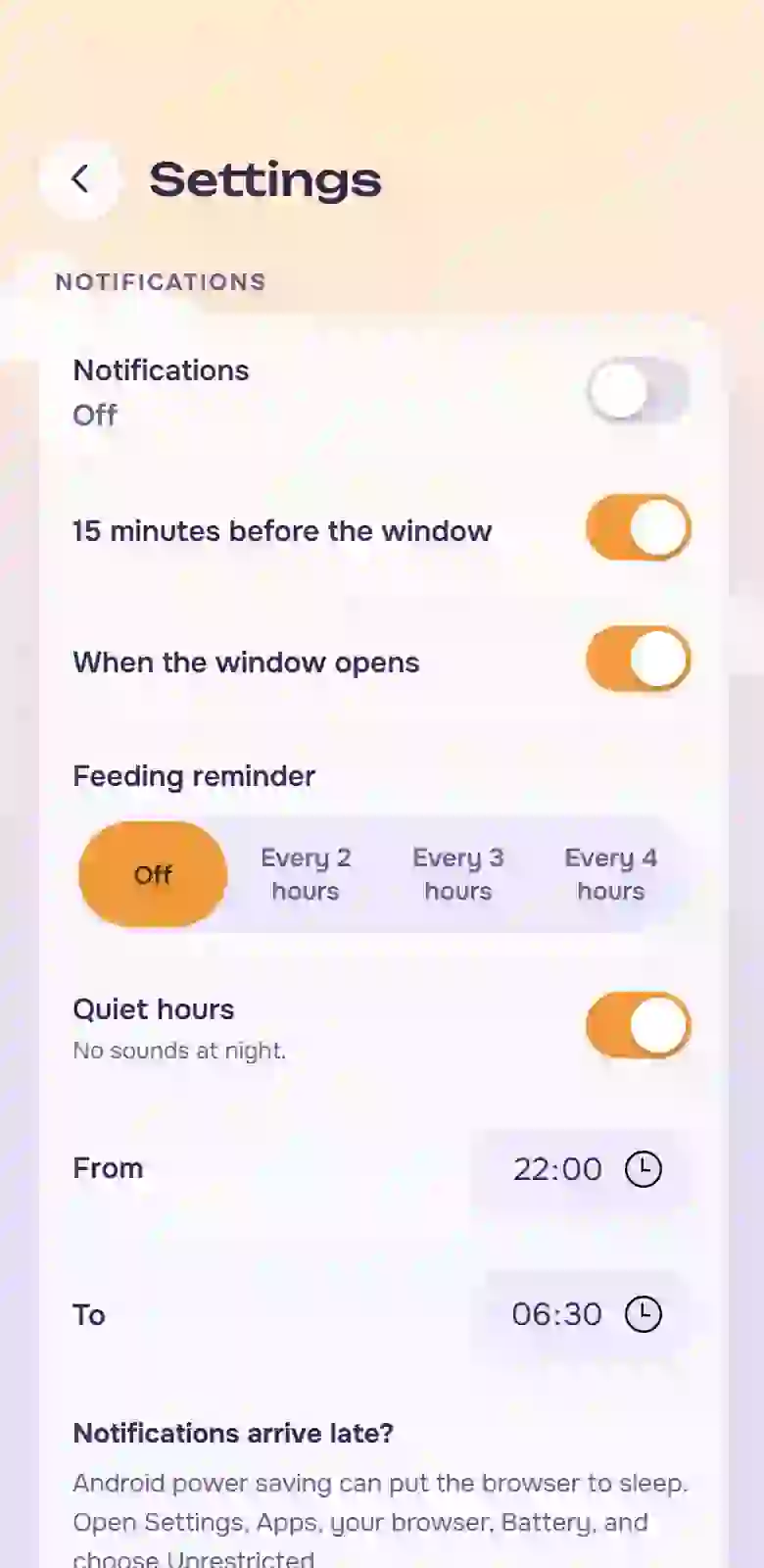
The app sends notifications about upcoming visits and about a good sleep window. For doctor visits you can also add an event to your phone’s calendar: alerts a day, 2 hours and 30 minutes before.
How much does it cost, and are there ads?
The first five days are free and we do not ask for a card. After that, one subscription for the whole family: $4.99 a month or $44.99 a year, or a one-time payment for lifetime access at $79. There are no ads in the app. After the trial, access closes until you pay, and your entries are not lost: they can be exported to a file.
Which languages?
English, Russian, Portuguese and Spanish. You choose the language in Settings.
Try it today
You can open Estrelu right now: the first five days are free, we do not ask for a card, you only need an email and the baby’s date of birth. The first entry takes a second.
Send a link to the other parent, a grandmother or a friend. The invited person gets the same five days free, and once they pay for a monthly plan you receive 30% of their payment as a bonus on your own subscription.
 Estrelu